Have you ever spotted an image online and had no idea where it came from? Maybe you found a photo and needed to know if it was real or just another viral fake. It’s frustrating — and honestly, most people don’t know there’s a smarter way to search. That’s exactly where image search techniques come in, and they’re more powerful than you’d think.
This blog walks you through the best image search techniques to find, verify, and use images with confidence. You’ll learn how to trace an image back to its source and spot fakes before they fool you. Whether you’re a journalist, student, or just curious, this guide has something for you. By the end, you’ll search smarter — not harder.
What Are Image Search Techniques
Image search techniques are smart methods people use to find, verify, and compare images across the internet. They work far beyond a simple keyword search. Modern tools now use AI, computer vision, and pattern recognition to understand what’s actually inside an image — not just its filename or tag.
These techniques cover everything from uploading a photo to trace its origin to applying filters that sort results by color, size, or date. Tools like image recognition systems can detect objects and scenes automatically. Metadata analysis, alt text, and file name optimization also help connect images to the most relevant search results online.
- Reverse image search — upload any photo to discover where it originally appeared online
- Advanced image search filters — narrow down results using size, color, date, or license type
- Visual similarity search — locate images that closely resemble your original photo
- Object detection — automatically identify people, places, or things shown inside an image
- OCR (Optical Character Recognition) — extract and read written text found within images
- Metadata analysis — uncover hidden image data like location, camera type, and upload date
| Technique | Primary Use | Best Tool Type |
| Reverse image search | Trace image origin and verify authenticity | Google Images, TinEye |
| Advanced filters | Refine results by quality, size, or rights | Search engine settings |
| Visual similarity search | Discover visually matching images | AI-powered platforms |
| OCR | Pull readable text from inside images | Dedicated OCR software |
| Object detection | Identify subjects and scenes in a photo | Computer vision tools |
| Metadata analysis | Read hidden data embedded in image files | EXIF viewer tools |
How Image Search Has Changed Over Time
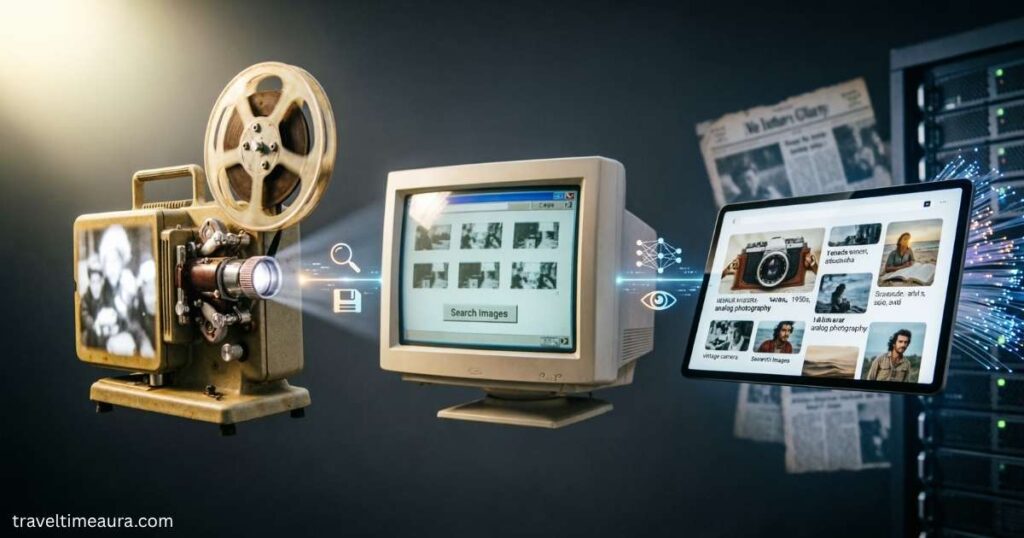
Early image search was honestly quite limited. Search engines only looked at the text around a photo — things like alt text, captions, and file names. If that information was missing or vague, the image simply didn’t show up. It wasn’t the engine’s fault. It just couldn’t see what was actually inside the picture.
Then, machine learning and computer vision changed everything. Systems stopped relying on labels alone and started reading visual content directly — shapes, colors, textures, and structures. Image indexing became far more precise, and image content analysis grew sharper. Today, search engines can interpret a picture almost the way a human does, and that’s a massive leap forward.
- 1990s — search engines matched images using only surrounding text and basic labels
- 2000s — improved metadata tagging and keyword systems made image indexing more reliable
- 2010s — machine learning allowed engines to analyze actual visual patterns inside images
- 2020s — AI and computer vision now enable real-time, near-human image recognition
- Today, tools combine object detection, visual similarity search, and deep image content analysis for highly accurate results
| Era | Technology Used | Search Capability |
| Early internet | Text labels only | Very limited |
| 2000s | Metadata and keywords | Moderate |
| 2010s | Machine learning | Much stronger |
| 2020s | AI and computer vision | Near-human accuracy |
| Today | Combined AI + deep analysis | Fast, precise, multi-layered |
Understanding Reverse Image Search
Reverse image search flips how you normally look things up online. Instead of typing keywords, you use the image itself as your search query. Just upload a photo or paste its URL into a tool like Google Images or TinEye. From there, visual comparison tools and image recognition systems scan the web for matching or similar visuals instantly.
The process relies on deep image content analysis to detect visual patterns across millions of results. It can show you where an image first appeared, how often it’s been shared, and whether someone altered it. That makes it one of the most honest and reliable tools available for anyone trying to verify digital content before trusting or sharing it.
- Original image source — trace exactly where a photo first appeared online before it spread
- Edited or cropped versions — spot whether someone altered the image to change its meaning
- Duplicate usage across websites — see every site currently hosting that same picture
- Misleading or viral photo context — uncover the real story behind images shared out of context
- Copyright and duplication issues — detect unauthorized image use and protect your original work from content theft quickly
Why Reverse Image Search Matters in Real Life
Online images rarely tell the full story. A photo can be cropped, recolored, or paired with a completely false caption. That’s where reverse image search acts like a digital detective. It traces where a picture actually came from and how it’s traveled across the web — making it an essential fact-checking tool for journalists, researchers, and everyday users alike.
Businesses rely on it too. Brand monitoring and logo tracking help companies catch unauthorized use of their visual identity fast. Photographers use it for copyright detection to protect their original work. Even online shoppers benefit — using it for e-commerce product search to compare listings and identify the true source behind a product image before buying.
- Journalism and fact-checking — reporters use it for source validation and image verification during fast-moving breaking news stories
- Academic and research use — researchers rely on it for research-based image search to verify visual references and confirm authenticity
- Business and brand protection — companies use it for marketing analytics and social media image tracking to monitor how their visuals spread online
- Artist and creator rights — photographers and designers use it to catch content theft and prove unauthorized image use quickly
- Consumer product research — shoppers use visual search to find original product sources, compare sellers, and avoid misleading or counterfeit listings online
You may also like: Xendit GamificationSummit Work: Complete Guide and Insights
The Role of Advanced Image Search Filters
Advanced image search filters turn an overwhelming pile of results into exactly what you need. Instead of scrolling endlessly, you sort by size, color, file type, or date. That saves real time and improves image quality analysis instantly.
Usage rights filters and licensing checks matter most for bloggers, publishers, and marketers. They help you find images safe to reuse legally. Designers rely on high-resolution image search filters to get sharp, print-ready visuals rather than blurry, low-quality web thumbnails.
| Filter Type | What It Controls | Who Needs It Most |
| Size filter | Image dimensions and resolution | Designers, publishers |
| Color filter | Dominant color tone in results | Brand teams, creatives |
| Usage rights filter | Legal permission to reuse freely | Bloggers, marketers |
| Date filter | When the image was first published | Journalists, researchers |
| Type filter | Photo, clip art, illustration, drawing | Students, educators |
| File type filter | JPEG, PNG, SVG, WebP formats | Developers, designers |
- Usage rights filters — protect you from accidental copyright violations when sourcing images for public content
- High-resolution filters — ensure your selected visuals are sharp and print-ready for professional work
- Date filters — help you track when an image first appeared and how it has spread over time
- Color filters — quickly match visuals to brand guidelines without manually sorting through hundreds of results
- File type filters — let developers and designers find the exact format they need without extra conversion steps
- Size filters — help publishers select images that fit specific layout dimensions without quality loss
Combining Reverse Search and Filters for Better Results

Reverse image search gives you reach. Advanced filters give you precision. But combining both creates a workflow that turns casual browsing into focused, strategic discovery. That’s exactly where image search techniques truly shine — when both tools work together, you stop guessing and start finding exactly what you’re looking for every single time.
Picture this: you find a product image online and run a reverse search to locate every site hosting it. Then you apply a size filter for the highest-resolution version, a usage rights filter to confirm it’s free to reuse, and a date filter to find the most recent listing. That’s smart, efficient searching done right.
- Start with reverse search — upload your image or paste its URL into a tool like Google Images or TinEye
- Scan the results — identify where the image appears, how often it’s been shared, and whether it’s been altered
- Apply size and quality filters — narrow results down to high-resolution versions suitable for professional or print use
- Run a usage rights filter — confirm licensing checks before downloading or publishing any image you didn’t create yourself
- Add a date filter — find the most recent or original version and track how the image has spread over time
- Cross-check across multiple platforms — verify findings using different online image databases for stronger, more reliable results
- Use for high-stakes situations — this combined approach is especially powerful for brand monitoring, e-commerce product search, and image-based digital forensics
Common Uses of Image Search Techniques
Image search techniques are used across nearly every field today. Digital marketing teams use visual research tools and marketing analytics to study competitors, track campaigns, and catch stolen brand assets early. In academia, students rely on image indexing and academic visual references to gather credible, well-sourced research materials without wasting hours browsing unreliable websites.
Journalists depend on fact-checking tools and journalism verification tools to confirm whether photos circulating during major events are genuine or recycled from older stories. Everyday shoppers also benefit — e-commerce product search lets anyone upload a photo to identify a product, compare prices across sellers, and track down the original manufacturer behind any listing they find online.
- Journalists — verify breaking news photos using source validation, image verification, and image-based digital forensics before publishing
- Digital marketers — monitor brand visibility through social media image tracking and logo tracking across competing platforms
- Students and researchers — locate credible academic visual references and verified diagrams to support well-researched arguments
- Online shoppers — identify unknown products, compare seller listings, and find original manufacturers through e-commerce product search tools
- Designers and creatives — source high-quality inspiration and find print-ready visuals using advanced visual comparison tools efficiently
- Photographers and artists — protect original work by running copyright detection and image duplication detection checks regularly
- OCR users — extract readable text from screenshots, scanned documents, or image-based PDFs using optical character recognition tools
Challenges and Limitations of Image Search
Even the smartest image recognition systems have real limits. Heavily edited photos, tightly cropped images, low-resolution uploads, and mirrored visuals can all confuse search algorithms. Image quality analysis tools perform best with clear, unaltered pictures. Results also vary widely between platforms, so what one tool finds, another might miss completely.
Context is another serious challenge. Visual similarity search can return images that look nearly identical but belong to entirely different stories or events. Search engine image retrieval is powerful but never perfect. Users must always apply critical thinking alongside these tools. And finding an image in results doesn’t mean it’s free to use — licensing checks still matter.
- Low-quality or cropped images — blurry, heavily edited, or tightly cropped photos significantly reduce match accuracy across most platforms
- Missing image metadata — shared files often have metadata stripped out, making digital forensics and source validation much harder to complete
- Visually similar but contextually different results — two images can look nearly identical yet belong to completely unrelated stories or time periods
- Incomplete online image databases — no single platform indexes the entire web, so cross-checking across multiple tools is always necessary
- Face recognition privacy concerns — tools using face recognition raise serious ethical questions around consent, surveillance, and personal data protection
- No automatic licensing confirmation — finding an image through visual search never guarantees legal reuse — usage rights filters and licensing checks are always required
Best Practices for Smarter Image Searching
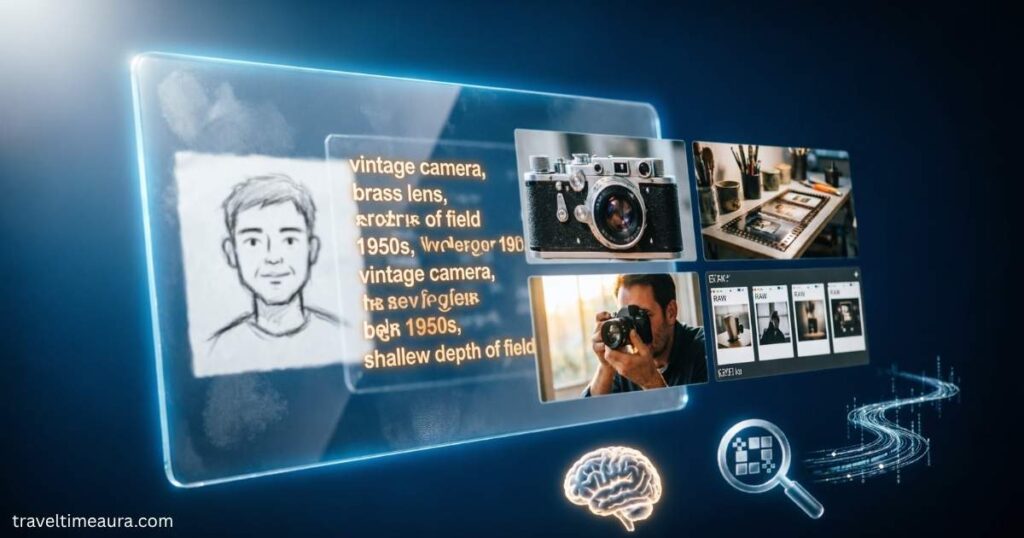
The smartest approach to image search techniques starts with one simple rule — use the clearest image you have. A sharp, uncropped photo gives image recognition systems and visual comparison tools the best chance of returning accurate matches. If your first search fails, try cropping to the main subject or testing a different version of the same image entirely.
Never rely on a single platform for important searches. Always cross-check findings across multiple online image databases — especially when using fact-checking tools or doing source validation for journalism or research. Apply advanced image search filters one step at a time. Treat every search like a small investigation: check dates, review the source, and verify context before drawing any conclusions.
Smart habits for better image searching:
- Start with a high-quality image — sharp, uncropped visuals give image recognition systems the strongest foundation for accurate, reliable results
- Use metadata analysis first — review embedded image details like location, date, and camera data before trusting or sharing any visual content
- Always check usage rights — apply usage rights filters before publishing or sharing any image to avoid accidental copyright violations
- Combine tools strategically — pair reverse image search with date filters, size filters, and licensing checks for a thorough, multi-layered search
- Cross-check across platforms — never trust one result alone — verify findings using multiple visual research tools and online image databases
- Analyze suspicious viral images carefully — use digital content analysis and fact-checking tools to investigate images that spread unusually fast online
- Stay critical throughout — finding a match doesn’t end the search — always verify the source website, publication date, and surrounding context carefully
| Best Practice | Why It Matters |
| Use high-resolution images | Improves the accuracy of image recognition systems significantly |
| Check usage rights filters | Protects against accidental copyright violations |
| Cross-check across platforms | Strengthens source validation and reduces false matches |
| Apply filters step by step | Prevents over-filtering and keeps useful results visible |
| Analyze metadata before trusting | Reveals hidden details that confirm or question image authenticity |
You may also like: Drovenio Remote IT Jobs USA: Ultimate Guide to Land High-Paying Roles
Frequently Asked Questions
How Do Image Search Techniques Help You Verify a Photo’s Authenticity?
They trace where a photo first appeared online. That reveals whether it’s real or recycled from an older, unrelated event.
Which Image Search Techniques Work Best for Finding High-Resolution Images?
Use size filters inside your search engine settings. They filter out low-quality thumbnails and return only sharp, print-ready visuals.
How Do Image Search Techniques Support Journalists During Breaking News?
Journalists upload suspicious photos to reverse search tools. Results quickly show whether an image is genuine or previously published elsewhere.
Can Image Search Techniques Detect Whether a Photo Has Been Edited?
Yes, they can flag visually altered versions across the web. Comparing results side by side often reveals cropping, color changes, or manipulation.
How Do Image Search Techniques Help Protect a Creator’s Original Work?
They scan the web for unauthorized copies of your image. You can then take action against content theft or copyright violations quickly.
How Do Image Search Techniques Connect to OCR and Text Extraction?
Some tools read text directly from inside an image. That extracted text becomes searchable, making scanned documents and screenshots far more useful.
How Do Image Search Techniques Improve E-Commerce Product Research?
Shoppers upload a product photo to find matching listings instantly. This helps compare prices, identify manufacturers, and avoid counterfeit or misleading sellers.
How Do Image Search Techniques Use Metadata to Improve Results?
Metadata holds hidden details like location, date, and device type. Analyzing it adds important context that visual search alone can’t always provide.
How Do Image Search Techniques Differ Across Various Search Platforms?
Each platform uses different algorithms and indexes different parts of the web. Cross-checking across multiple tools always produces stronger and more reliable results.
How Have AI Advancements Shaped Modern Image Search Techniques?
AI now reads shapes, colors, and objects inside images directly. This replaced old text-label methods and made search results far more accurate.
Conclusion
Image search techniques have completely changed how we find, verify, and use visuals online. They’re no longer just for tech experts — anyone can use them. Whether you’re a journalist checking a photo’s source, a shopper comparing products, or a creator protecting your work, these tools give you real power. Don’t just accept what you see online. Dig deeper, search smarter, and always verify before you trust or share any image.
The best part? You don’t need to master everything at once. Start simple — run a reverse search, apply a filter, check the source. Build your skills gradually. As you get comfortable, image search techniques will become a natural part of how you research and work online. The internet is full of misleading visuals. But now you have the tools to cut right through them.